| FusionPBX Hosting features: |
| Auto Attendant |
Inbound calls can be played a recording that gives customers options and it allows callers to be automatically transferred to an extension without the intervention of an operator. Extensions can be dialed. Options can send calls to local extensions, voicemail, conference numbers, queues, or external numbers like a cell phone. (ie: Press 1 for Sales, Press 2 for Support, etc) |
| Announcements |
A recording for the auto attendant that provides announcements to callers |
| Call Detail Records |
Call details and various reporting capabilities to see who called, when , call length and the ability to export to csv file. |
| Call Forward |
Calls can be forwarded to another extension or to any phone number |
| Call Monitoring |
You can view which extensions are currently in a call |
| Call Parking |
Call parking allows you to put a call on hold at one telephone set and continue the conversation from any other telephone set.
Press *5900 to park a call, unpark the call with *5901 |
| Call Pickup |
for a particular extension or any extension that is currently ringing. |
| Call Queuing |
This allows calls to be placed into queues so they can be answered in the order they came into the queue.
This is commonly used for Sales and Customer support. |
| Call Recordings |
This allows you to record all calls, some calls or parts of the call. |
| Call Routing |
This allows you to send calls (route them) or perform actions based on reading the caller id info or other call information. |
| Call Transfer |
Announced Transfer
Blind Transfer |
| Caller ID |
If your provider supports Caller ID, you can customize what Caller ID info is sent. |
| Conference Bridge |
This allows you to set up conference calls, optionally secure with a PIN number, and you can transfer current calls to a conference. |
| Direct Inward System Access |
(DISA) ability to call into the system put in a pin code and then receive a call back (outbound). |
| Do Not Disturb |
(DND) sends call directly to voice mail. |
| Eavesdrop |
This allows you to listen in on extensions. |
| Fax |
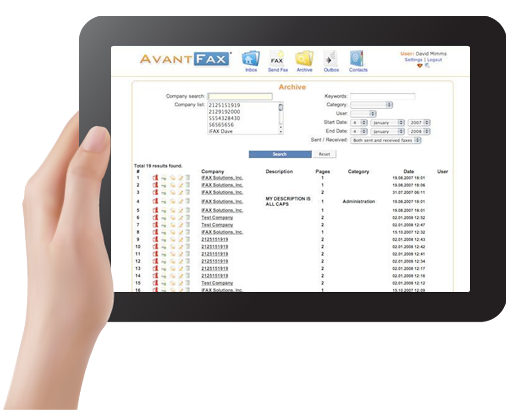
If your provider supports fax, FusionPBX allows you to send or receive faxes. |
| Follow-me |
This allows calls to "find you". For example, a call can ring a desk phone for so many rings then try a cell phone when a call comes in. |
| Inbound Routes |
You can direct calls depending on caller ID and by which interface a call arrives |
| Intercom |
A paging extension can be created that will send intercom calls over a speaker system |
| Outbound Routes |
This directs calls to different providers. An example use would be least cost routing. |
| Music On Hold |
You can add wav or mp3 files, including music, or even a business sales message for callers to listen to while on hold. |
| Paging |
Paging can be used on phones that support it (Polycom, Linksys, SNOM, and others) |
| Hunt Groups |
This allows you to ring multiple internal extensions and external numbers simultaneously or in succession. You can prefix the caller id name so that you can tell where the call came from. There is also an option to announce the caller, or require a pin number. |
| Remote Office Support |
A remote location can register extensions and use a centralized phone system or communicate freely between systems. |
| Route by Caller ID |
When a call comes in the call can be routed based on the desintation number, Caller ID and other factors. For example certain clients can be routed to a special after hours menu. |
| Text-to-Speech |
FusionPBX can be customized to provide any information to a caller and can optionally be protected with a PIN number.
Better voice quality requires commercial 3rd party software and voice. |
| Three-way Calling |
|
| Timer Conditions |
This allows you to set up different time patterns for call handling. It allows to direct after hours calls differently than calls during working hours for example. |
| Voice Mail |
Access voicemail from anywhere.
Voicemail can be sent as an email attachment. |
| Remote Support |
PBX can be managed with web interface locally or remotely. Portable Extensions can be answered anywhere with a voip phone, soft phone, standard phone or cordless. Calls from remote extensions to any extension do not require the telephone company. |
| Speech Recognition |
|